Introduction
On a busy shop floor, information moves fast—or it should. When a machine faults, a job completes, or an operator needs support, the difference between a two-minute response and a two-hour delay often comes down to one question: did anyone see it?
Verbal communication is slow and easy to miss. Data buried in an ERP or MES requires someone to stop, log in, and interpret. Neither works at the speed manufacturing demands.
Visual signals solve this. They make the status of machines, processes, and people immediately visible—no login, no conversation, no walking the floor required.
According to Siemens Senseye's The True Cost of Downtime 2024, unplanned downtime costs manufacturers between $36,000 and $2.3 million per hour depending on industry. When status information isn't visible, small problems compound into costly ones.
This guide covers what a visual signal is, the types used in manufacturing, the equipment that generates them, how they work in practice, and how connected platforms are extending what visual signals can accomplish.
Key Takeaways
- A visual signal communicates machine or process status at a glance, with no verbal communication or login required
- Color-coded stack lights (red/yellow/green) are the most common form, standardized under IEC 60204-1
- Effective systems require documented color standards, training, and escalation logic
- Connected platforms extend visual signals beyond alerts into measurable OEE and downtime tracking
- WessDel recovered 17 productive hours per employee per month after implementing connected shop floor visibility
What Is a Visual Signal?
A visual signal in manufacturing is any light-based, color-coded, or graphical cue that communicates the status, condition, or required action for a machine, process, or workcenter—without requiring verbal communication or a system login to interpret.
The core principle is zero ambiguity. Anyone walking past a workcenter should immediately know whether things are running normally, running with a problem, or stopped entirely. That instant readability is what separates visual signals from every other form of operational communication.
Visual Signals and Visual Management
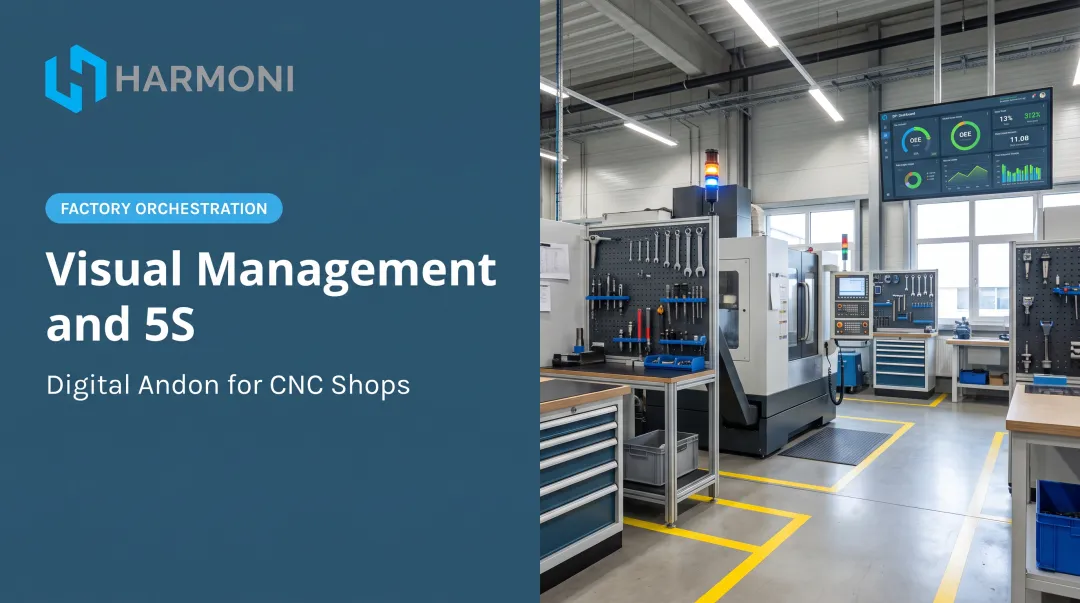
Visual signals are the primary tool in a broader visual management philosophy closely tied to Lean manufacturing. The Lean Enterprise Institute defines visual management as placing tools, parts, production activities, and performance indicators in plain view so the condition of the system can be understood at a glance—without requiring interpretation by an expert. Visual signals translate that philosophy into practice at the machine level.
Origins: The Toyota Production System
Toyota's company history records that andon boards and lights were installed at the Kamigo Plant in 1966 as part of visible management and the development of jidoka—the practice of stopping equipment when an abnormality occurs to prevent defective products from continuing through the process.
That foundational idea remains unchanged: make the problem visible immediately, stop before it compounds. It's the logic behind every stack light on a modern shop floor.
Types of Visual Signals in Manufacturing
Stack Lights and Andon Lights
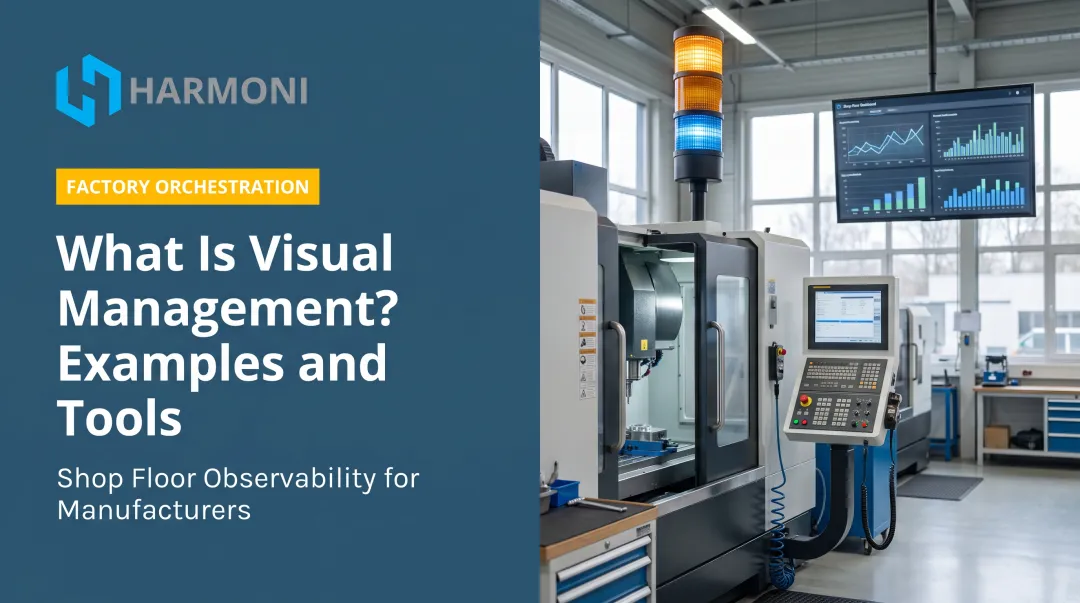
Stack lights (also called signal towers or andon lights) are the most common visual signal in manufacturing. They're vertical stacks of colored lights mounted on machines or workcenters, each color indicating a specific operational state.
Color meanings are standardized under IEC 60204-1:2016:
| Color | IEC Meaning | Typical Shop Floor Use |
|---|---|---|
| Red | Emergency | Machine stopped / fault condition |
| Yellow | Abnormal | Warning / attention required |
| Green | Normal | Running normally |
| Blue | Mandatory action | Operator action required |
| White | Neutral / other | Workflow states, custom use |
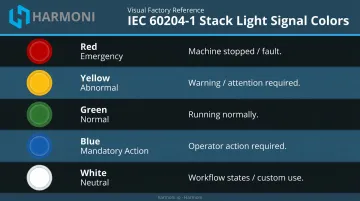
Many manufacturers customize color meanings beyond the IEC baseline to match their specific processes—white for changeover, flashing yellow for an operator call, for example. What matters is that those custom meanings are documented and consistent across the facility.
Digital HMI Displays
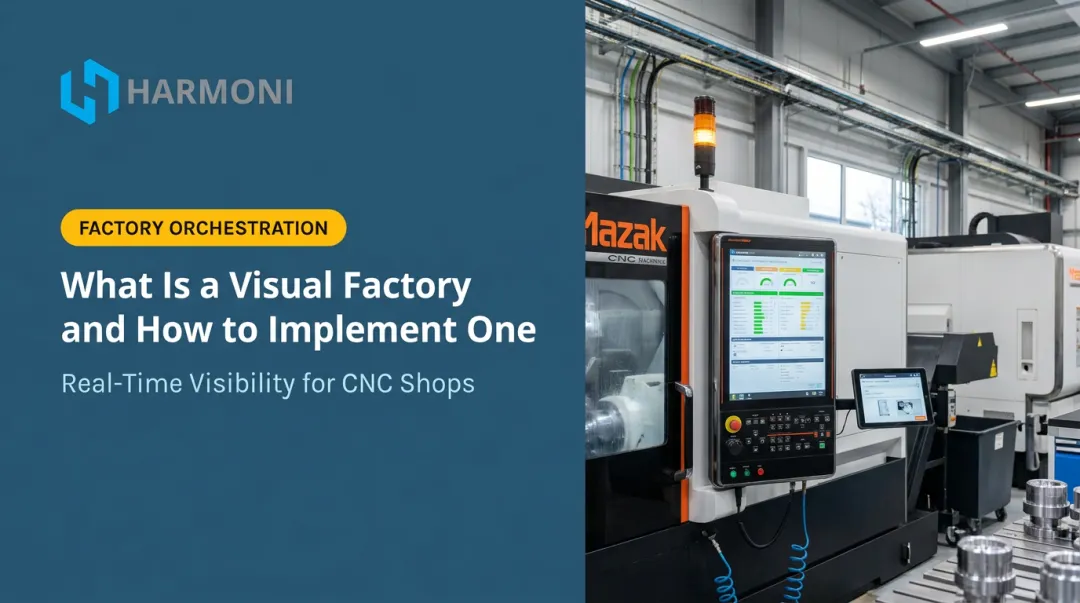
NIST defines an HMI as hardware or software through which an operator interacts with a controller—ranging from a physical panel with buttons and indicator lights to an industrial PC with a full graphical display.
At the workcenter level, HMI screens go beyond simple color status. They display:
- Cycle counts and part counts
- Current job status and remaining machine time
- Error codes and fault descriptions
- In-process quality data
Production Status Boards and Digital Scoreboards
Where HMI screens serve individual workcenters, production status boards scale that visibility up to the zone or facility level. Centralized displays—from whiteboards to large-format LED monitors—give supervisors and managers a real-time floor overview without physically walking every aisle. They typically show:
- Jobs in progress vs. targets
- Machine utilization rates
- Output vs. schedule
Warning and Alarm Indicators
Flashing lights, strobes, and high-intensity LED beacons serve a different function than steady status lights. They're designed to capture immediate attention in high-noise, high-distraction environments—signaling conditions that can't wait for someone to glance in the right direction. Common triggers include:
- Safety hazards requiring immediate response
- Maintenance requirements or equipment faults
- Out-of-specification conditions flagged during production
What Is Visual Signalling Equipment?
What Is Visual Signaling Equipment?
Visual signaling equipment refers to the physical devices and systems that generate, transmit, and display visual signals in an industrial environment. The category spans simple standalone devices to fully networked display systems.
Common Equipment Types
- Stack lights / signal towers — standalone or network-connected colored light columns mounted at workcenters
- Andon pull cords and call systems — operator-activated signals that summon a team leader or supervisor
- HMI operator panels — touchscreen or button-based panels that display and control machine status
- Large-format LED scoreboards — facility-wide or zone-level production displays
- Digital dashboards — software-driven displays on monitors or tablets, fed by machine and ERP data
- IoT-connected sensors — devices that trigger visual signals automatically based on machine state
Key Specifications to Evaluate
Equipment selection depends on the environment and what information needs to be communicated. Key criteria:
- IP rating — IEC ingress protection ratings measure resistance to dust and liquid intrusion; the right rating depends on your environment
- Visibility range and brightness — critical in large, bright, or noisy facilities
- Network connectivity — modern signal towers support protocols like IO-Link and PROFINET, enabling integration with machine controllers and plant systems
- Integration capability — whether the device can interface with machine controllers, MES, or ERP systems to trigger signals automatically rather than relying on manual activation
Automatically triggered signals — driven by live machine and ERP data — consistently outperform manual activation in speed, accuracy, and response time.
How Visual Signals Work on the Shop Floor
The Trigger-Signal-Response Loop
Every visual signal system follows the same basic cycle:
- A condition occurs — machine fault, job completion, quality flag, operator request
- A signal is triggered — automatically by machine data, or manually by the operator
- The signal displays — at the workcenter, on a central board, or both
- The right person responds — and the condition is resolved
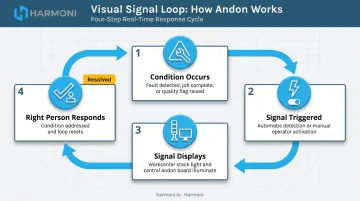
The entire loop should take seconds, not minutes. When it doesn't, a minor machine fault becomes a scrapped part — or a missed shipment.
The Role of Standardization
Visual signals only work if everyone reads them the same way. That requires two things:
- Documented standards — what each color, flash pattern, and display state means
- Consistent training — so new operators and supervisors can act on signals without hesitation
A green light that means "running" at one workcenter but "setup complete" at another destroys the whole point of the system.
Escalation Logic
More sophisticated systems build escalation into the signal workflow. If a yellow signal goes unacknowledged for a set period, it escalates—to red, to a supervisor's dashboard, to a direct alert on their device. Toyota's documented andon process follows a similar logic: if a team leader can't resolve the issue within takt time, the line stops at a fixed position.
Without escalation, a signal is only as effective as the nearest set of eyes. With it, unresolved conditions follow the right person — wherever they are on the floor.
Benefits of Visual Signals in Manufacturing
Faster Response to Abnormalities
When machine status, quality issues, and operator needs are immediately visible, the response gap shrinks. A fault that might go unnoticed for an entire shift with verbal-only communication gets flagged and addressed within minutes when there's a red light on the machine and a status change on the supervisor's dashboard.
The case data backs this up. When Coastal Machine and Supply made machine state and utilization visible through monitoring data, Modern Machine Shop reported a 46% increase in five-axis utilization—a direct result of visibility enabling faster, better-targeted responses.
Reduced Reliance on Verbal Communication
Visual signals remove the need for operators to stop work, find a supervisor, and explain a situation verbally. The signal communicates the issue. Both parties can focus on resolution rather than diagnosis.
At Machine Specialties, Inc. (MSI), deploying Harmoni's platform—which includes status lights and real-time performance metrics—cut communication barriers between machinists, engineers, and managers. Skilled employees spent less time on administrative coordination and more time on the work itself.
That shift from verbal coordination to visual awareness also changes how accountability works on the floor.
Improved Accountability and Floor Discipline
When production status is visible to everyone—operators, supervisors, managers—performance becomes harder to explain away.
Targets vs. actuals are visible in real time. That visibility creates accountability without requiring confrontation.
WessDel, a precision machining shop serving aerospace and defense, documented a 10% reduction in delinquent jobs and a 5X return on ongoing platform costs after implementing connected shop floor visibility through Harmoni. The ability to see what was happening—and when—made it possible to act before lateness became a pattern.
From Andon Lights to Connected Shop Floors
The Limitation of Standalone Signals
A stack light on a single machine tells you something is wrong. It doesn't tell you why, for how long, or how that machine's status fits into overall production performance. Supervisors must physically walk the floor to interpret what they're seeing, and there's no automatic record of signal events for later analysis. Useful, but not sufficient for modern production environments.
Networked, Data-Driven Visual Signals
Modern manufacturing platforms connect machine data, operator activity, and production workflows so that visual signals are:
- Generated automatically when real conditions are met—not when someone remembers to flip a switch
- Displayed on digital dashboards visible across the facility or remotely
- Logged for trend analysis—turning signal history into performance data
This shifts visual signals from reactive alerts to proactive performance management tools.
How Harmoni Elevates Visual Signal Effectiveness
Harmoni's factory orchestration platform integrates machine data, ERP workflows, and operator activity into a unified real-time view of the shop floor. The platform's Visual Factory module delivers andon-style status lights and digital dashboards as part of a cohesive system—not an add-on layered over separate systems.
At MSI, deploying Harmoni across a shop floor of 300+ employees gave managers increased visibility through status lights and real-time performance metrics, nearly eliminated errors in part counts on complex high-risk parts, and automated labor tracking through Epicor ERP integration. At WessDel, ERP transactions that previously took 11 minutes per transaction dropped to seconds through RFID-enabled automation—recovering 17 productive hours per employee per month.
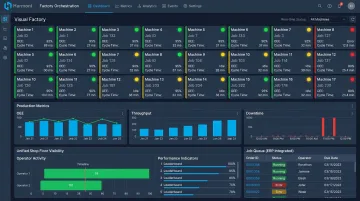
Those results come from signals that carry context: not just a status change, but the machine, the job, the operator, and the elapsed time—all captured automatically and available the moment something shifts on the floor.
Frequently Asked Questions
What is a visual signal?
A visual signal is any light-based, color-coded, or graphical indicator used to communicate the real-time status of a machine, process, or workcenter. It allows operators and supervisors to understand what's happening at a glance—without verbal communication or logging into a system.
What is visual signaling equipment?
Visual signaling equipment refers to the physical devices that generate and display status indicators in industrial settings: stack lights, andon systems, HMI panels, and digital production dashboards. These range from simple standalone lights to fully networked, data-driven display systems.
What is an andon signal in manufacturing?
An andon signal originates from the Toyota Production System and uses colored lights to show whether a production line is running, needs attention, or has stopped. It can be triggered manually by an operator or automatically by machine sensors, and often includes an audible alert alongside the visual indicator.
What's the difference between a visual signal and an auditory signal?
Visual signals communicate status continuously and can be read at a glance without disrupting workflow. Auditory signals—alarms, buzzers—are better for urgent, one-time alerts in high-noise environments where lights may be missed. Most modern facilities use both in combination.
How do visual signals improve production efficiency?
Visual signals speed up response to abnormalities, reduce time supervisors spend walking the floor, and create accountability by making performance visible to everyone. Shops that deploy them consistently report faster problem resolution and less unplanned downtime per shift.
Can visual signals integrate with ERP or MES systems?
Yes. Modern visual signal systems can interface with ERP and MES platforms so signals are triggered automatically by real production data—job completions, machine faults, schedule deviations—eliminating manual activation and keeping the shop floor view accurate.