Introduction
Every machine shop owner feels the squeeze right now. Skilled machinists are retiring faster than shops can replace them, customers expect tighter tolerances and faster turnarounds, and margins keep shrinking as material and labor costs climb.
U.S. manufacturers may need as many as 3.8 million additional workers between 2024 and 2033. More than half of those roles—1.9 million—could go unfilled without changes to how shops operate, according to a 2024 Manufacturing Institute and Deloitte report.
Most owners hear "automation" and picture a robotic arm tending a CNC machine. That's only half the picture. A growing, often-overlooked category, software-based orchestration, connects people, machines, and data without a single robot on the floor.
This guide breaks down the types of machine shop automation, where physical automation fits, the digital layer most shops miss, and how to choose your starting point.
Key Takeaways
- Automation has two layers: physical systems (robots, tending, pallet changers) and digital orchestration across people, machines, and software
- Four categories—fixed, programmable, flexible, and integrated—map to different volume and mix needs
- Software orchestration delivers measurable results in weeks without major capital spend
- Start with repetitive, error-prone, or low-visibility work before scaling larger projects
What Is Machine Shop Automation?
Machine shop automation covers any hardware or software that performs machining, material handling, or data-tracking tasks with minimal manual intervention. That definition is broader than most shop owners assume.
Shopfloor automation, specifically, means integrating machine data, operator activity, and production tracking into one coordinated system on the factory floor. It's less about individual machines and more about connecting everything happening around them.
Two layers matter here:
- Physical automation: machines and robots that perform the actual work, loading parts, tending spindles, moving pallets
- Digital orchestration: software that coordinates people, jobs, machines, and data so the physical layer actually runs efficiently
Most shops invest heavily in the first layer and almost nothing in the second, then wonder why job costing is still a guessing game.
Automation Doesn't Eliminate Machinists
A common fear is that automation replaces workers. In practice, it reallocates them. When a cobot handles repetitive machine tending, the operator shifts to programming, quality oversight, or running multiple machines at once.
Swivellink, a CNC job shop, automated two ROBODRILLs and produced more parts with the same headcount rather than cutting staff. With skilled labor still hard to find, most shops need that kind of reallocation far more than they need fewer people on the floor.
The Four Types of Machine Shop Automation
Automation generally breaks into four categories, each suited to different volume and variety needs. Here's how each one shows up on a machine shop floor.
| Type | Best fit | Machine shop example |
|---|---|---|
| Fixed | Very high volume, identical parts | Dedicated transfer line running one part number |
| Programmable | Batch production, changeable jobs | CNC machine tools, automated tool changers |
| Flexible | High-mix, low-volume production | Robotic tending cells, cobots with fast changeover |
| Integrated/Orchestration | Coordinating the whole floor | Software linking ERP, machines, and operators |
Fixed (Hard) Automation
Fixed automation locks in one operation sequence through the equipment's own configuration. It demands high upfront investment but delivers high output for identical parts. Think dedicated tooling or a transfer line built to run one part number for years. It's rare in high-mix job shops and common on high-volume automotive supplier lines.
Programmable Automation
Programmable automation can be reprogrammed and changed over between batches, and it's where most machine shops already live. CNC machine tools and automated tool changers fall into this category. Reprogram the control, swap the fixturing, and the same equipment runs a different part tomorrow.
Flexible (Soft) Automation
Flexible automation extends programmable automation with fast, automatic changeover, letting different parts run back-to-back instead of in isolated batches. Robotic machine-tending cells and cobots with quick-change fixturing are the clearest examples in a job shop. These machines move from Job A to Job B without hours of manual retooling.
Integrated/Orchestration Automation
This is the layer most shops overlook entirely. Rather than physically making parts, orchestration software connects ERP systems, MES systems, machines, and operators into one coordinated system. It doesn't cut a single chip, but it determines whether every other type of automation on this list actually runs at full potential. The next section focuses on that layer.

Physical Automation on the Shop Floor
Physical automation is what most people picture first, and for good reason. It solves real, visible pain points.
Common applications include:
- Machine tending: robots or cobots loading and unloading parts from CNC machines
- Pallet and tool changers: automatic swaps that keep spindles cutting between jobs
- Robotic welding: consistent weld quality without operator fatigue
- Palletizing: automated stacking and staging of finished parts
The Three D's Test
A useful filter for deciding what to automate first comes from the robotics trade group A3: look for work that is dirty, dangerous, or dull.
- Dirty: hazardous or unsanitary work
- Dangerous: tasks that put people at physical risk
- Dull: repetitive, low-interaction work robots handle without complaint
Machine tending checks the dull box on most shop floors. Welding often checks dangerous.
Where Physical Automation Stops Short
Here's the catch: a robot tending a machine faster doesn't tell you which job is running, whether the right revision is loaded, or what that part actually costs to make. Physical automation speeds up individual machines. It doesn't solve visibility, job costing, or coordination problems across the rest of the shop. That gap is exactly where most shops get stuck.
The Overlooked Layer: Orchestrating People, Machines, and Data
Here's the situation on most shop floors: machines run automated cycles, but job assignment, labor tracking, and costing still happen on paper, in spreadsheets, or in an operator's memory. The physical automation works fine. The coordination around it doesn't.
Factory orchestration software fills that gap. It sits between ERP systems, MES systems, machines, and operators, improving execution in real time rather than reporting on it after the fact.
How It Works in Practice
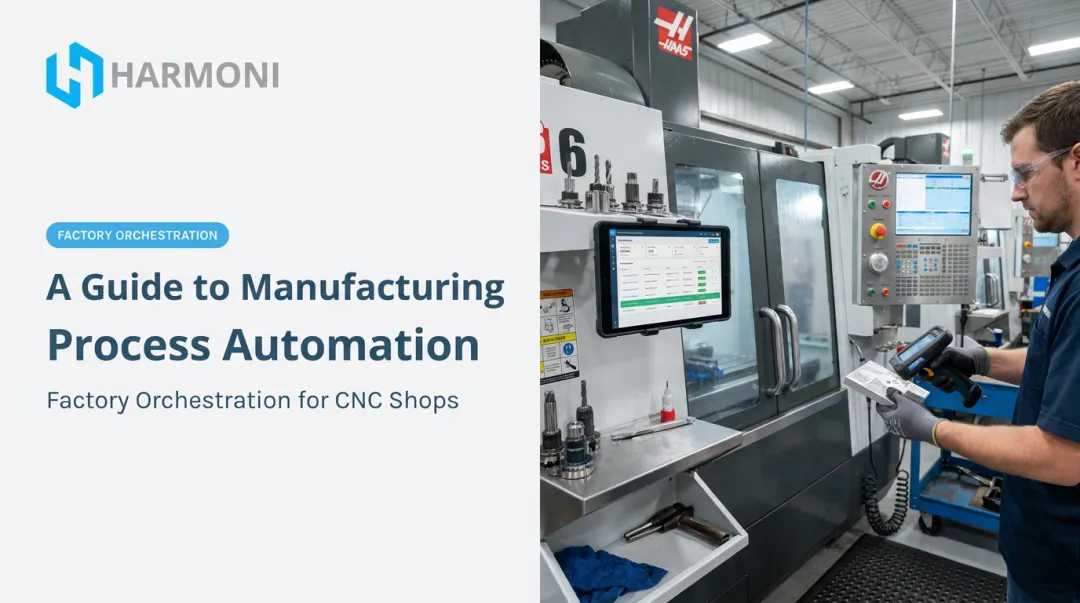
Harmoni, a factory orchestration platform built specifically for this layer, uses long-range RFID to automatically detect an operator and the active job the moment someone approaches a machine. No badge swipe, no keyboard entry. The system then:
- Loads the correct CNC program and revision for that job
- Surfaces the right work instructions and setup sheets
- Starts labor and machine time tracking automatically
- Pushes that data straight into the ERP
Each workcenter gets a centralized terminal, a command center, where operators clock in, pull up drawings, log quality checks, and request help from managers without leaving the machine.
Catching Problems as They Happen
Unplanned downtime gets expensive fast. Siemens' 2024 industry analysis found that an unproductive hour can cost automotive manufacturers up to $2.3 million, with smaller manufacturers still facing costs as high as $150,000 per hour in worst-case scenarios.
Real-time visibility means a stalled job or a missed setup gets flagged the moment it happens, not during next shift's paperwork review.
Real Job Costing, Not Estimates
Most ERP systems rely on standard times that rarely match shop floor reality. Automatically capturing actual machine cycle time alongside actual labor time replaces guesswork with verified numbers.
At Machine Specialties Inc., a 300-plus employee precision manufacturer, Harmoni shifted tracking from raw spindle time to earned hours and nearly eliminated part-count errors on complex, high-risk jobs.
Harmoni is built for mid-to-large manufacturers in aerospace, defense, automotive, and precision manufacturing. It deploys in weeks rather than months, without replacing existing ERP systems or machines.
WessDel, an aerospace and defense supplier machining titanium and beryllium components, completed installation in under a week and reported a 5X return on ongoing costs.

How to Choose and Implement Automation in Your Shop
Successful automation starts with process clarity, not a purchase order. Use these four steps to choose where to invest and how to roll it out without stalling the floor.
Step 1: Map Your Workflow to Find High-Impact Processes
Before buying anything, walk the floor and document where time actually goes. High-impact targets usually show up as:
- Repetitive tasks that consume operator time
- Frequent errors or scrap events
- Processes nobody can explain without checking three different spreadsheets
Automating end-to-end on day one usually wastes money solving problems that did not need solving yet.
Step 2: Calculate Realistic ROI
Look past equipment price and factor in:
- Labor cost savings
- Cycle time reductions
- Scrap and rework reduction
Payback depends on the project type. Documented robotic CNC tending cases have hit ROI in as little as 33 weeks, with other shops landing under 12 months. Software orchestration can move faster. One published factory orchestration case recovered 50 minutes per operator per shift. It delivered roughly double the platform's cost in measured value.
Step 3: Start Small, Then Scale
Pick one low-complexity, high-visibility win first, whether that's a single machine-tending cell or one workcenter running orchestration software. Prove the result, build internal buy-in, then expand. Shops that try to automate everything at once tend to stall halfway through.
Step 4: Make Sure Your Systems Can Talk to Each Other
A robot that tends a machine faster still needs the right job, the right program, and the right documentation to matter. Physical automation performs best when paired with real-time visibility connecting ERP, MES, machines, and operators. Without that connection, you've sped up one station without fixing the coordination gap around it.

Frequently Asked Questions
What is shopfloor automation?
Shopfloor automation integrates machine data, operator activity, and production tracking into one coordinated system on the factory floor. It's less about any single machine and more about connecting machines, operators, and production systems around them.
What are the four types of automation?
Fixed automation runs one dedicated sequence for identical parts. Programmable automation, like CNC machines, can be reprogrammed between batches. Flexible automation adds fast changeover for high-mix production. Integrated orchestration software connects ERP, machines, and operators into one workflow.
What can I automate to make money in a machine shop?
Automating repetitive tasks, machine tending, and job or labor tracking frees capacity for billable work while reducing scrap. Automatic job costing also reveals which jobs are actually profitable instead of relying on estimates.
Is machine shop automation only worthwhile for high-volume production?
No. Flexible automation and orchestration software now make automation viable for high-mix, low-volume shops too. Fast-changeover cells and adaptable software remove the volume requirement that once limited automation to large runs.
How much does machine shop automation cost?
Costs vary widely between robotic cells and software platforms. Orchestration software usually needs a lower upfront investment and deploys in weeks, because it works with the machines and ERP a shop already owns.
How long does it take to see ROI from automation?
Physical automation ROI has ranged from roughly 33 weeks to 12 months in documented cases. Software orchestration can show measurable gains within weeks, since it doesn’t require new machines or a major capital project.