Key Takeaways
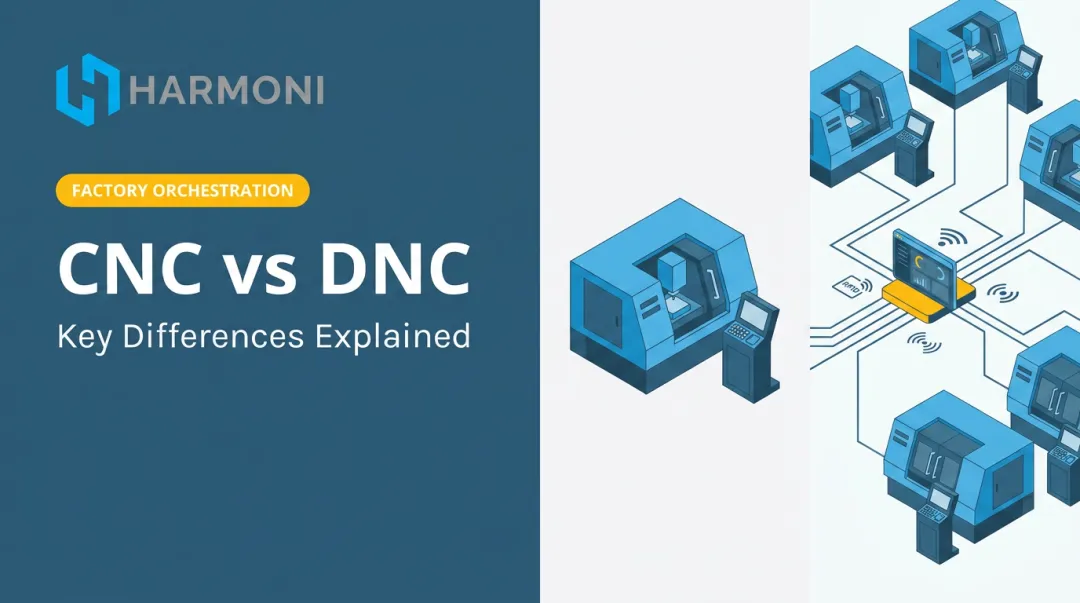
- A "DNC machine" is not a machine type — it's a networked system connecting a central server to multiple CNC machines for program management and delivery
- Two operating modes exist: full program download to machine memory, and drip-feeding for programs too large to store locally
- DNC eliminates "sneakerware" — replacing USB drives and manual file transfers with controlled, auditable program delivery
- In regulated industries, DNC revision control directly supports AS9100, ITAR, and CMMC compliance
- Platforms like Harmoni go beyond DNC by adding real-time machine data, ERP integration, and operator workflow automation
What Is a DNC Machine?
The term "DNC machine" is a common source of confusion. There is no standalone machine category by that name. What people usually mean is the DNC system — the combination of a host computer or server, DNC software, and network connections that manages and delivers NC programs to CNC machines on the shop floor.
ISO 2806:1994 defines distributed numerical control as a hierarchical system for distributing data between a production management computer and NC systems. Siemens describes their DNC implementation similarly: an NC program management and supply system for CNC controls. Both define an architecture for data distribution — not a machine category.
Two Meanings, One Acronym
The abbreviation DNC covers two related but distinct concepts:
- Direct Numerical Control — networking CNC machines to a central computer for uploading and downloading NC programs; historically, this referred to a mainframe controlling several NC machines simultaneously
- Distributed Numerical Control — transferring complete programs to individual CNC controls for local storage and execution, allowing machines to continue running if the central server goes offline; this mode also covers drip-feeding large programs in sequential blocks when machine memory is insufficient
DNC vs. CNC: The Practical Distinction
A CNC machine executes machining programs using embedded numerical control hardware. DNC is the infrastructure that gets those programs to the machine — with version control, access permissions, and an audit trail.
| CNC Machine | DNC System | |
|---|---|---|
| Role | Executes the machining program | Delivers and manages the program |
| Function | Cuts, mills, or turns metal | Handles versioning, access, and transfer |
| Runs without the other? | No — needs a program source | Yes — manages programs independently of machine operation |
How a DNC System Works
Every DNC system has three core components:
- Host computer or application server — stores approved NC files, version identifiers, release status, and access permissions
- Communication link — wired RS-232, Ethernet, or wireless, depending on machine age and facility layout
- CNC control — requests, receives, stores, and executes the program data
These components work together in a defined sequence:
- A CAM programmer generates G-code and stores it in the DNC server under a controlled release
- A shop floor operator requests the file
- The DNC server locates the approved version and transfers it to the machine
- The machine executes the program
- Modified programs can be uploaded back to the server for engineering review

Program Storage and Revision Control
NC files sit in a central repository where user permissions determine who can view, release, or modify them. Only approved, current revisions appear available for download — which is what separates DNC from simply keeping files on a shared network drive. Siemens' MCIS DNC documentation explicitly supports version IDs, release IDs, trial-cut status tracking, and a chronological logbook of all transfers.
Transfer Request at the Machine
An operator triggers a file request from the CNC control itself, a shop floor terminal, or a tablet — depending on how the system is configured. The DNC server locates the correct approved program and queues it for transfer. No searching through USB drives or shared folders. No guessing which revision is current.
Full Download vs. Drip Feeding
How the program arrives at the machine depends on its size:
- Full download — the complete NC file transfers into CNC storage before execution begins; the machine runs entirely from local memory
- Drip feed (direct DNC mode) — for programs too large to fit in control memory, the DNC system streams code block by block through the communication port while the machine executes each block as it arrives; FANUC documents that its DNC mode can run large programs continuously at the same speed as locally stored files
Drip-fed programs are harder to restart mid-cycle — the control never holds the complete file locally. Full downloads avoid that issue but require sufficient machine memory.
Transfer also works in reverse. Operators can upload modified programs from the machine back to the server, where engineering can review the changes and formally release a new revision. This keeps the repository clean and prevents machine-side edits from disappearing.
Why DNC Is Used in CNC Manufacturing
The "Sneakerware" Problem
Without DNC, shops move programs physically — USB drives, floppy disks, PCMCIA cards, even paper tape. Operators walk to each machine, load a file manually, and hope it's the right revision. This approach has a name in manufacturing circles: sneakerware.
Sneakerware creates real risks:
- Operator loads an outdated program revision, producing scrap parts
- Multiple machines running different versions of the same program simultaneously
- No audit trail for which version ran on which machine
- Engineering change orders not propagating to the shop floor before production starts
Revision Control as a Compliance Requirement
In aerospace, defense, and precision manufacturing, running an unapproved program version isn't just a quality failure — it can create a compliance problem.
Relevant frameworks include:
- AS9100:2016 — Clause 7.5.3 requires controlled documented information, protected from improper use or integrity loss; Clause 8.5.6 requires retained records of change authorization and results. Controlled NC program distribution maps directly to these requirements.
- ITAR (22 CFR 120.33) — NC programs containing information required for the production or manufacture of defense articles can qualify as technical data under ITAR, depending on their content. Uncontrolled file transfers create exposure.
- CMMC/DFARS — If a DNC server handles Controlled Unclassified Information (CUI), it falls within the CMMC assessment boundary. Relevant controls include authorized access, audit logging, and removable-media restrictions.

None of these frameworks explicitly mandate DNC. But the controls they require — revision tracking, access restrictions, audit logs, protected transfer paths — are exactly what a properly implemented DNC system provides.
Scale and Integration
A single DNC server managing program libraries for dozens of machines is practical. Doing the same with USB drives is not. But the real value at scale goes further than file management.
DNC connectivity creates the foundation for integrating shop floor execution with higher-level systems. When machine connectivity exists, platforms like Harmoni can layer on top, combining real-time machine data, ERP job workflows, and operator activity into a unified view of what's actually happening on the floor.
At each machine, operators get:
- The correct job tied to their ERP workflow
- The correct program revision — loaded automatically
- The correct setup documentation, at the right time
Harmoni supports this across major CNC controls including Fanuc, Haas, Mazak, Heidenhain, Siemens/Sinumerik, DMG MORI, Makino, and Fadal, with no machine replacement required.
Where DNC Systems Are Applied
DNC is most valuable in three scenarios:
| Environment | Why DNC Fits |
|---|---|
| High-mix, low-volume job shops | Frequent program changeovers make manual transfer error-prone and slow |
| Large production facilities | Managing hundreds of NC programs across many machines requires centralized control |
| Regulated industries (aerospace, defense, medical) | Full program traceability and access control are compliance requirements |
Connection Methods by Machine Age
Connection approach depends on what the machine supports:
- RS-232/V.24: Standard for legacy controls; supports point-to-point serial transfer or drip feed. HEIDENHAIN documents rates up to 19,200 bps at distances up to 30 m — verify limits against your specific control manual.
- Ethernet: Native to newer CNCs; older RS-232 machines can connect through a serial-to-Ethernet gateway (Siemens documents this conversion for SINUMERIK controls without native Ethernet).
- Wireless: Practical for flexible cells where hard-wiring isn't feasible. NIST flags interference, latency, reliability, and security as key concerns — run a site survey and security assessment before deploying.

Common Issues and Misconceptions About DNC
"DNC machine" describes a specific machine type. It doesn't. DNC describes the network architecture and software surrounding any CNC machine — the machine itself can be a mill, lathe, router, laser cutter, or any CNC-controlled equipment.
"Every DNC transfer is drip feeding." Not true. Distributed DNC often downloads a complete program for local execution. Drip feeding is specifically for programs that exceed machine memory — it's one mode, not the definition of the system.
"An RS-232 machine needs analog-to-digital conversion hardware." Incorrect. RS-232 already carries digital serial data. Older machines need a serial-to-Ethernet gateway or protocol converter for network connection — not analog conversion.
"DNC is just a fancier way to copy files." Shops that treat DNC as file transfer alone preserve most of the risk DNC is supposed to eliminate. The value lives in the controls around the transfer: approved-release status, access permissions, revision history, upload workflows, and audit logs. Shops that use DNC only for file movement without enabling these controls often still encounter wrong-version errors.
"Small shops don't need DNC." Scale isn't the only variable. A one-machine defense shop handling CUI or frequent program revisions may need controlled transfer immediately. A ten-machine commercial shop with a stable, small program library and ample machine memory may not. The decision depends on:
- Transfer frequency and revision risk
- Program size relative to machine memory
- Machine-side edit requirements
- Compliance scope (ITAR, CMMC, CUI)
Machine count alone is the wrong metric.
Frequently Asked Questions
What is a DNC machine?
A "DNC machine" refers to the full Direct or Distributed Numerical Control system — the server, software, and network that connects a central computer to multiple CNC machines (mills, lathes, routers, or any programmable equipment) for managed program delivery. It is not a standalone machine type; it is the infrastructure that serves the machines.
What is the difference between CNC and DNC machines?
A CNC machine is the physical equipment that executes a machining program using numerical control. DNC is the networked infrastructure that stores, manages, and delivers those programs to CNC machines. Put simply: one cuts metal, the other controls which program version reaches it.
What are the types of DNC systems?
DNC systems vary by connection method — RS-232 serial, Ethernet, or wireless — and by operating mode: full program download to machine memory for complete local execution, or drip-feed mode for streaming large programs block by block when machine memory is insufficient.
What is the difference between Direct and Distributed Numerical Control?
Direct Numerical Control originally described a central computer controlling multiple NC machines simultaneously. Distributed Numerical Control describes the later model where complete programs download to individual CNC controls for local execution, including drip-feeding when programs exceed local memory capacity.
How does a DNC system connect to CNC machines?
Connection method depends on machine age: older machines use RS-232 serial cables (sometimes bridged to Ethernet via a gateway), while newer controls connect via Ethernet natively. Wireless is an option for flexible cells where fixed cabling is impractical, but interference and security risks need evaluation before deployment.