Introduction
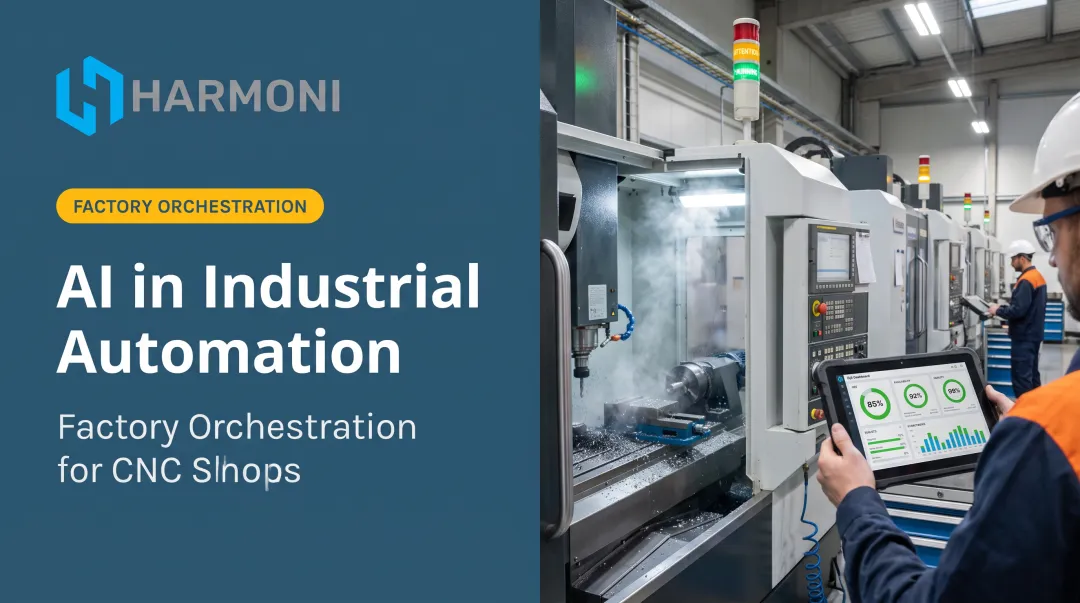
Machine shops are betting big on AI. According to a 2025 Deloitte survey, 29% of manufacturers are already using AI or machine learning at the facility level, with another 23% piloting it. Generative AI adoption is climbing even faster.
Here's the catch many shops run into: AI-powered CAM tools can cut programming time from hours to minutes. But that speed often disappears once the job hits the floor.
Operators still hunt for the right program, paper travelers still stand in for real data, and ERP systems still show what should happen instead of what actually did.
This guide breaks down where AI is genuinely transforming CNC and CAM today, why that value frequently stalls at the shop floor, and what it takes to close the gap end-to-end.
Key Takeaways
- AI already automates CAM programming, predictive maintenance, and quality inspection in machine shops today
- Programming speed gains often evaporate once jobs reach the floor without real-time coordination
- Factory orchestration unifies machine, ERP, and operator data so AI gains show up in production numbers
- Successful adoption starts with one pain point, one pilot, and clear KPIs
- Machinists and programmers stay central; address data privacy and trust before you scale
Where AI Is Already Transforming CNC & CAM Today
AI has moved past the buzzword phase in machining. It's embedded in the software programmers use daily and the sensors monitoring machines in real time.
AI-Powered CAM Programming and Toolpath Generation
CAM packages like Fusion, Mastercam, Siemens NX, and GibbsCAM now auto-generate and optimize toolpaths instead of requiring manual point-by-point creation. Autodesk's Toolpath partnership announcement describes AI generating optimized toolpaths in minutes rather than hours or days.
Feature recognition is the piece that makes this practical. The AI reads CAD geometry, identifies pockets, holes, and contours, and suggests machining strategies and tooling based on historical programs the shop has already run.
- The system learns from every accept, edit, or rejection a programmer makes
- Suggestions get sharper the more a shop uses the tool
- Programmers still verify tooling and kinematics before anything runs
AI removes the repetitive setup work so programmers can spend time on decisions that need engineering judgment.
Predictive Maintenance and Machine Monitoring
AI analyzes spindle load, vibration, and temperature data to flag tool wear or mechanical issues before a breakdown happens.
Siemens reported that an unproductive hour cost automotive manufacturers $2.3 million in 2024—roughly double the 2019 figure. For some small and mid-sized manufacturers, downtime runs as high as $150,000 per hour.
Energy-consumption-based tool life prediction is emerging as an alternative to fixed time- or part-count schedules. Instead of swapping a tool after a set number of parts, the system tracks energy-draw patterns that correlate with real wear—extending tool life and cutting surprise failures.
AI-Driven Quality Control and Inspection
Vision-based inspection systems catch surface and dimensional defects that manual checks routinely miss. According to NIST, cameras paired with adaptive algorithms inspect products faster and more consistently than the human eye. Unlike older fixed-rule automation, these systems improve as they learn.
The bigger shift is timing. Rather than finding scrap after a part is finished, AI increasingly enables real-time defect detection during the cut, so shops can correct parameters in-cycle before a bad part is complete.
Adoption still depends on practical hurdles NIST flags: data quality, upfront cost, workforce skills, and integration with legacy systems.

The Hidden Gap: Why Shop-Floor Execution Still Lags Behind AI-Powered Programming
Here's the uncomfortable truth: a faster CAM program doesn't automatically mean faster, more consistent production. The programming win happens in a seat at a desk. What happens next, on the floor, is a different story entirely.
Common breakdowns look like this:
- Operators hunting for the correct job or program version before they can even start the cut
- Engineering instructions executed inconsistently from one shift to the next
- Paper travelers or spreadsheets standing in for real-time job data
- Labor and machine time logged after the fact, if at all
A 2023 SME study of over 300 manufacturing professionals put hard numbers on that gap:
- Only 30% reported fully automated equipment-capacity tracking
- Just 24% had fully automated quality management and inspection sheets
- 62% reported work delays tied to inventory data, throughput times, and equipment utilization
- 56% still planned to invest in AI regardless
ERP and MES systems make this worse in a subtle way. They capture what's scheduled to happen. They rarely capture what's actually happening at the machine and operator level in real time.
This gap hits hardest in aerospace, defense, and precision manufacturing, where a faster program means little if execution errors or inaccurate job costing persist downstream. Closing it takes a coordination layer that connects AI-optimized programs to the people and machines actually running them.
Factory Orchestration: Extending AI's Impact From the CAM Seat to the Shop Floor
AI and CAM gains often stall once jobs leave the programming seat. Harmoni, a factory orchestration platform, was built to close that gap. It sits between ERP systems, MES systems, machines, and operators, coordinating all of them in real time so upstream programming and scheduling improvements actually show up in production performance.
Harmoni runs on three core pillars:
- Automation: removes manual, non-productive steps like clocking in, hunting for job data, or entering labor hours by hand
- Process control: ensures operators always work from the current, approved engineering revision and correct CNC program
- Observability: gives real-time visibility into every workcenter, not just after-the-fact historical reports
How the RFID Command Center Works
Each workcenter gets a touchscreen terminal with long-range RFID detection. As an operator approaches the machine, the system automatically identifies who they are and which job they're on. No badge swipe or manual entry needed.
At WessDel, a San Jose-based Epicor customer, time studies showed each manual ERP transaction at a shared terminal was taking operators 11 minutes. Harmoni's RFID automation eliminated that entirely, contributing to 17 productive hours recovered per employee per month and a documented 5X ROI.

Unified Dashboards Bring It All Together
Instead of separate silos for machine data, ERP transactions, and operator logs, Harmoni combines them into one dashboard. Managers can see:
- Cycle times against ERP estimates
- Live OEE across availability, performance, and quality
- Downtime by cause—changeover, breakdown, or material wait
This matters because problems get caught while they're happening, not after a part is scrapped. One documented Harmoni customer cut scrap by 22% in two months using this real-time visibility paired with automated program-to-job matching.
Harmoni integrates with machine controls and ERP systems already common on shop floors—including Haas, Mazak, DMG MORI, Fanuc, Heidenhain, Makino, Fadal, and Siemens on the machine side, and Epicor, Infor, JobBoss2, and ABAS on the ERP side.
Shops don't need to rip out existing AI or CAM investments to get this visibility. Deployment typically takes weeks, not months, since Harmoni retrofits to equipment regardless of age or brand.
How to Evaluate and Adopt AI Tools in Your Shop
Adopting AI in machining doesn't need to start with a shop-wide overhaul. It starts with a focused, measurable first step.
1. Map your biggest pain point first.
Is it a programming backlog, unplanned downtime, or a shop-floor visibility gap? Whichever carries the highest measurable cost should go first, not whichever tool sounds most impressive.
2. Audit your digital readiness.
- Confirm machines are networked via MTConnect or OPC UA
- Check what data is already being logged, if any
- Assign a "digital champion" who bridges machinists, engineering, and IT
When you shortlist tools, favor options that retrofit existing machines, connect to your ERP and controls, and surface clear KPIs without a rip-and-replace project.
3. Pilot one use case, on one machine or cell.
Track specific KPIs before expanding:
- Programming hours saved
- Cycle time
- Scrap rate
- On-time job completion
Expand shop-wide only once the pilot proves measurable ROI. A single machine running for a few weeks tells you more than a shop-wide rollout guessed at from a spec sheet.

Addressing the Concerns: Data Privacy, Accuracy, and the Future of Machinist Jobs
Every shop considering AI adoption asks some version of the same three questions.
Will this replace my programmers and machinists? No. AI-generated toolpaths and quality flags still require human verification of tooling, kinematics, and material behavior before a program runs. The technology speeds up the repetitive parts of the job. It doesn't carry the judgment that comes from experience on the floor.
What happens to our part data? Ask any AI vendor point-blank whether they train models on your customer part data or intellectual property—before you sign anything. Favor vendors who keep proprietary data on-premises or exclude it from training sets, especially if you're running ITAR or CMMC-controlled work.
How do we build trust in AI recommendations? Gradually, and with an override switch always available. Use AI to augment decisions first—not run unattended—and let operators and programmers reject suggestions when experience says otherwise. Trust (and confidence in accuracy) comes from consistent, verifiable results, not vendor marketing claims.
Frequently Asked Questions
Can AI do CNC machining?
Not autonomously today. AI assists by generating toolpaths, monitoring machine conditions, and flagging quality issues, while people still execute, verify, and supervise the actual process.
What does CNC stand for?
CNC stands for Computer Numerical Control, a system that interprets machine-specific code to drive a cutting tool along a planned path. AI now supports this workflow by helping generate and optimize that code faster.
Will AI replace CNC programmers and machinists?
No. AI augments skilled workers rather than replacing them. Human verification of tooling, material behavior, and program accuracy remains essential for safety and part quality.
What is the difference between CAM software and AI-powered CAM tools?
Traditional CAM requires manually creating each toolpath step by step. AI-powered CAM tools automatically generate and suggest machining strategies based on part geometry and historical program data.
Is AI CNC machining expensive to implement?
Costs vary widely by tool and vendor. Many offer pilot programs or plug-in pricing, making a small, single-machine pilot a low-risk way to test value before a larger investment.
How does AI improve shop floor visibility beyond programming?
Factory orchestration platforms like Harmoni combine machine, ERP, and operator data into one real-time view. This closes the gap between faster AI-generated programs and what's actually happening at the machine.