Introduction
It's 2 PM on a Tuesday. A CNC machine in bay 4 has been sitting idle for 40 minutes. Nobody notices until the end-of-shift report gets pulled together — and by then, the job is behind schedule and nobody can say why. That last part is the real gap. A cockpit built on machine data shows the idle time; the reason lives with the operator and the ERP job, and only the two together turn a number on a screen into something a supervisor can act on mid-shift.
This is the reality for a lot of shops. You calculate OEE; you track Availability, Performance, and Quality. But the data lives in a spreadsheet or a report that only surfaces hours (or a full shift) after the problem occurred.
By the time anyone sees the numbers, the downtime already happened; the scrap already got made; the opportunity to fix it in real time is gone.
An OEE cockpit changes that. This article breaks down what an OEE cockpit actually is, the components that make one effective, and why the best cockpits pull in more than just machine data.
Quick takeaways:
- What it is: A real-time dashboard that turns the OEE formula into a live, actionable view of shop floor performance
- Why it matters: Manual and end-of-shift reporting means you find out about problems after they've already cost you time and money
- Who needs one: Any CNC, aerospace, defense, or precision shop running multiple work centers where downtime or scrap is hard to catch in the moment
What Is an OEE Cockpit?
An OEE cockpit is a centralized, real-time interface that captures, calculates, and visually displays Availability, Performance, and Quality data at the machine, workcenter, or plant level. The cockpit is the software layer that turns that metric into something usable on the shop floor.
Here's the distinction that trips people up: OEE = Availability x Performance x Quality is a formula. Vorne's widely-used OEE calculation reference breaks each factor down precisely. A cockpit takes that formula and turns it into something you can actually watch happen, shift by shift, machine by machine.
The Cockpit Metaphor
Think of an aircraft instrument panel. A pilot doesn't flip through paper logs mid-flight to figure out altitude or fuel status; everything's visible at a glance. An OEE cockpit works the same way for a supervisor walking the floor.
"OEE cockpit" and "OEE dashboard" get used interchangeably, but they're not quite the same thing. A true cockpit includes:
- Interactive drill-down into specific machines or shifts
- Downtime reason capture tied to actual events
- Alerting that flags problems as they happen
A static chart that updates once a shift isn't a cockpit. It's just a dashboard with a nicer name.
The Three Core Metrics Behind Every Cockpit
Every cockpit is built on the same three pillars:
| Metric | Formula | What It Measures |
|---|---|---|
| Availability | Run Time / Planned Production Time | Whether the machine was running when it should have been |
| Performance | (Ideal Cycle Time x Total Count) / Run Time | Whether it ran at the speed it should have |
| Quality | Good Count / Total Count | Whether the output was usable |
A spreadsheet can calculate these numbers once a day. A cockpit's job is turning them into live, visual KPIs, segmented by shift, machine, and operator, so you catch a dip while it's still happening, not after the fact.
Key Components of an Effective OEE Cockpit
A cockpit is only as useful as the data feeding it. Here's what separates a functional one from a glorified spreadsheet on a screen.
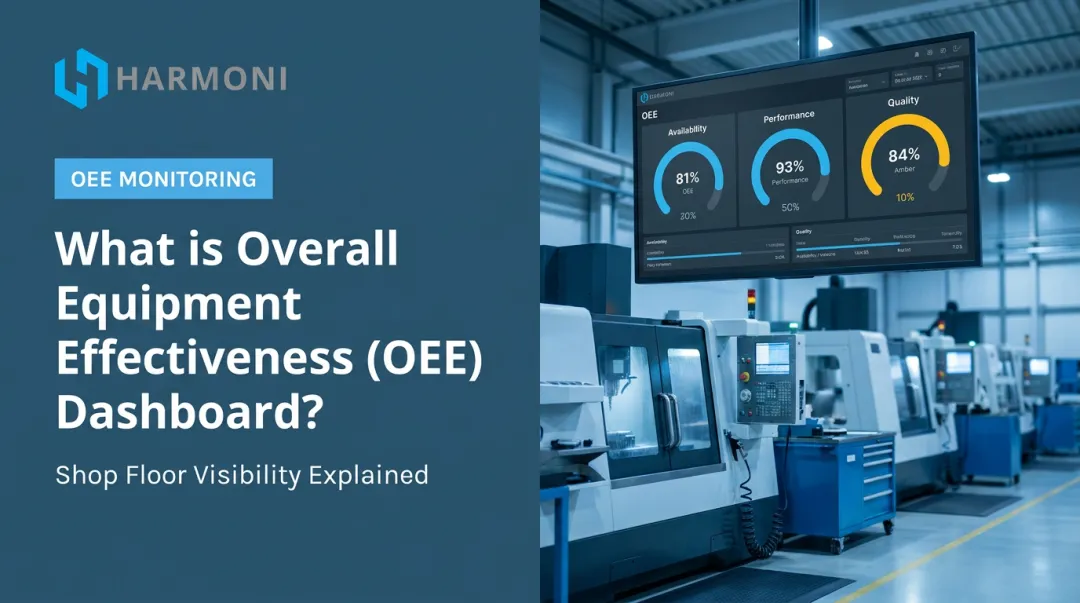
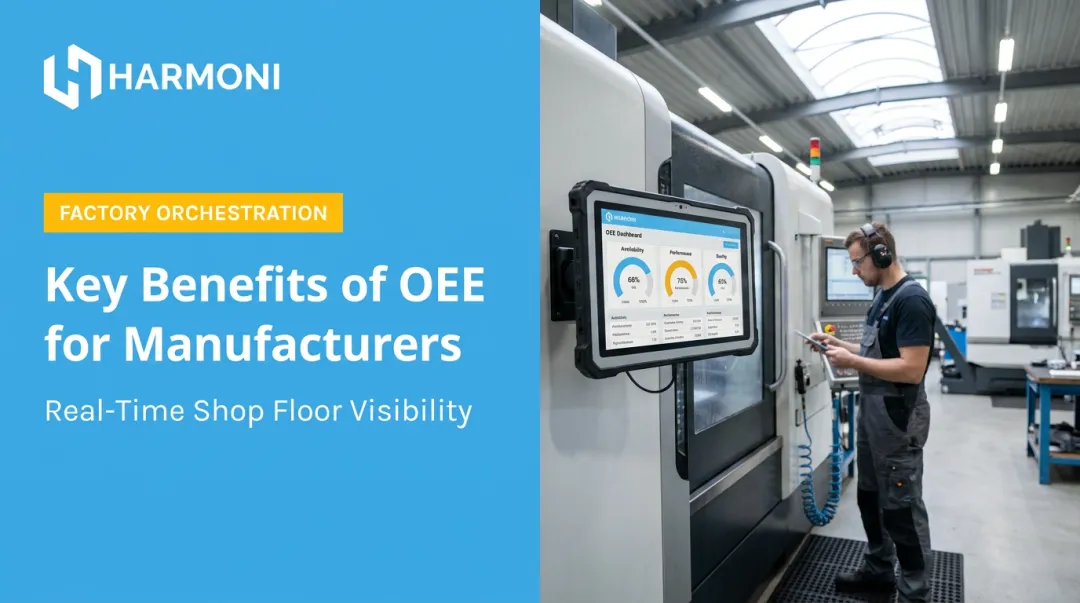
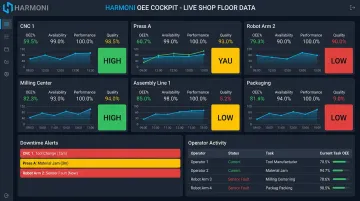
- Real-time dashboards: Live OEE by machine, cell, and shift shows up in red, yellow, and green tiles, so a problem is visible immediately without reading a single number.
- Automated downtime capture: Automatic detection tied to categorized reason codes replaces manual logs, eliminating rounded guesses like turning a 12-minute stop into "a few minutes."
- Cycle time tracking: Actual cycle time is checked against the ideal or planned cycle time pulled from CNC programs or job standards, flagging a slow run immediately instead of letting it hide in a shift average.
- Quality tracking: Good and bad part counts, scrap, and rework link to inspection data, giving root-cause visibility instead of just a bare quality percentage.
- Andon-style alerts: Deviations trigger a notification the instant they happen on the floor, rather than waiting in a report a supervisor reads three hours later.
- An integration layer connecting machines, ERP, and operators: Most cockpits pull data primarily from PLCs and machine controllers only. Harmoni's factory orchestration approach combines machine telemetry with operator activity and ERP workflows, giving the dashboard full operational context instead of just what a machine controller reports on its own.
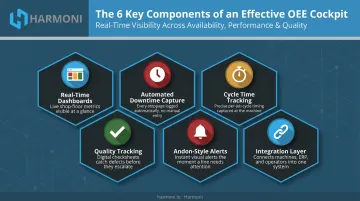
Together, these pieces determine whether the cockpit reflects real shop floor conditions or just a partial view.
How an OEE Cockpit Fits Into the Broader Shop Floor Ecosystem
Here's a scenario that trips up traditional machine-monitoring setups: a CNC machine shows "idle" for 15 minutes. The dashboard flags it as downtime. But the operator was actually mid-changeover, swapping tooling for the next job — productive work that just doesn't show up in a machine's spindle data.
This is the blind spot that comes from pulling data primarily from machines and PLCs. The machine tells you what it's doing. It doesn't tell you why.
From Passive Reporting to Active Orchestration
Traditional OEE reporting looks backward. It tells you what already happened: useful for trend analysis, less useful for fixing today's problem today.
Orchestration flips that. A cockpit becomes genuinely effective when it coordinates people, machines, and systems in real time, rather than just displaying historical numbers after the fact.
That means feeding ERP and MES data (job routing, engineering specs, work orders) into the cockpit view. When performance dips, a supervisor sees the "why" immediately:
- Was this a tooling change tied to a specific job?
- Is the operator working a different work order than the schedule says?
- Did the part revision change mid-run?
Harmoni's platform extends this idea using long-range RFID to automatically detect nearby employees and jobs at each workcenter. Instead of a supervisor guessing whether "idle" means broken or mid-changeover, the system feeds accurate labor and job data into the dashboard without anyone manually entering it.
Shops running this kind of orchestration-style cockpit catch problems while they're happening, not after the job's already shipped short, or after scrap has already piled up in the bin.
Benefits of Implementing an OEE Cockpit
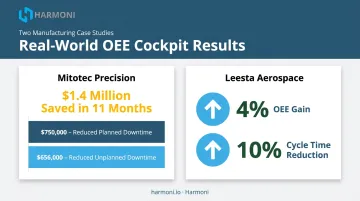
The value of real-time visibility isn't theoretical. Two shops profiled in Production Machining's coverage of OEE monitoring show what's possible when data moves from manual tracking to real-time systems:
Mitotec Precision reported $1.4 million saved in 11 months after implementing real-time alerts, machine timelines, and operator downtime codes. That total included $656,000 from reduced unplanned downtime and $750,000 from reduced planned downtime. Leesta, an aerospace machining shop, achieved a 4% OEE gain and cut average program cycle time by 10% using toolpath-level monitoring.
These are individual, customer-reported results, not universal guarantees. But they point to a consistent pattern: faster visibility leads to faster fixes.
Beyond the headline numbers, an effective cockpit delivers:
- Faster problem identification. Supervisors see a downtime or quality event as it starts, not on a report the next morning.
- Better labor visibility. Operator status and machine status appear side by side, so accountability doesn't depend on an end-of-shift summary someone fills out from memory.
- More accurate job costing. When a cockpit ties actual machine run time and RFID-tracked operator time to a specific job, the resulting cost data is far more reliable than manual estimates. Manual logs tend to get rounded, forgotten, or backfilled at the end of a shift.
OEE Cockpit vs. Traditional Reporting and MES Dashboards
It helps to see where a cockpit sits relative to the tools shops already use.
| Manual/Spreadsheet Reporting | OEE Cockpit | MES Dashboard | |
|---|---|---|---|
| Timing | Retrospective, often end-of-shift | Live, continuously updated | Real-time, but broader scope |
| Focus | Period totals | Equipment effectiveness and loss analysis | Production workflows, routing, traceability |
| Common gap | Slow, error-prone, hard to trust | Can miss operator/ERP context if machine-only | Not built for at-a-glance equipment visibility |
Manual tracking's core problem is latency. By the time someone compiles a spreadsheet, the downtime is old news. Human error creeps in too: a stop gets misclassified, a count gets fat-fingered.
MES systems solve a different problem. According to ISA-95's operations model, MES/MOM sits at a broader level, managing scheduling, dispatch, quality, maintenance, and genealogy across the plant. It's not designed to give you an instant, color-coded view of whether machine 7 is running behind cycle time right now.
Here's the common pitfall: some tools marketed as "OEE cockpits" only pull machine-side data. They miss operator context and ERP information entirely, which leaves a supervisor staring at an "idle" flag with no idea if it's a real problem or a scheduled changeover.
Bridging machines, ERP, and MES with an orchestration layer keeps both systems accurate and gives the cockpit the full picture — not just half of it.
How to Choose or Build the Right OEE Cockpit for Your Facility
Before committing to a platform, run through this checklist:
- Reliable machine-level data capture. Confirm it can pull from your actual controllers (PLC, CNC, MTConnect, or OPC UA), not just a generic subset of machine types.
- Ability to layer in operator and ERP data. A cockpit limited to spindle signals will always have blind spots.
- Fast deployment timeline. You shouldn't need a six-month IT project to get a dashboard live.
- Role-based views. Operators need a different screen than plant managers reviewing shift-over-shift trends.
Start small. Pilot the cockpit on a handful of critical work centers first. Validate that the data is accurate before rolling it out facility-wide. A bad number that spreads across 40 machines is a lot harder to untangle than one caught early on five.
Once a pilot proves the numbers hold up, you can scale with confidence. Platforms like Harmoni are built specifically for mid-to-large CNC, aerospace, defense, and precision manufacturers. Harmoni combines cockpit-style dashboards with automation and process control in one system, retrofitting to existing machines regardless of age or brand — no equipment replacement required. For shops that need cockpit visibility plus real execution control, it's worth booking a free demo.
Frequently Asked Questions
What is the difference between OEE and an OEE cockpit?
OEE is the metric itself : Availability x Performance x Quality. An OEE cockpit is the software or dashboard that captures, calculates, and visually displays that metric in real time.
What data does an OEE cockpit typically display?
Most cockpits show live availability, performance, and quality by machine and shift, plus downtime reasons, cycle times, and good/bad part counts. The best ones also layer in operator and job context.
Can an OEE cockpit work with older or legacy CNC machines?
Yes, in most cases. Legacy machines without native digital connectivity can often be connected through retrofit edge devices or IO gateways that convert relay and spindle signals into digital events the cockpit can read.
Is an OEE cockpit the same as an MES?
No. MES manages broader production workflows, routing, and traceability across the plant. An OEE cockpit focuses specifically on real-time equipment and performance visibility. The two typically work together rather than replace one another.
How long does it take to implement an OEE cockpit?
Lightweight dashboards can be live within days. Full integration with ERP systems, operator tracking, and multiple machine types typically takes a few weeks, depending on how many systems and work centers are involved.
Do I need a dedicated IT team to run an OEE cockpit?
Most modern cloud-based cockpit platforms require minimal ongoing IT overhead. That said, complex ERP integrations or on-premises deployments tend to go smoother with IT involved during the initial rollout.