October 14, 2026
How to Prevent the Wrong CNC Program from Reaching a Machine
Read More

Labor tracking works only when the people doing the work can use it without stopping to fight the system. If recording time against a job means hunting for a terminal, searching through long menus, or correcting data later, operators will find workarounds. The result is less reliable information and more frustration.
Keep data entry lean and design the process around the way work already moves through the shop. Make the next action obvious, limit the steps, and show teams how the information helps them do their jobs.
Before changing time collection, decide what the information needs to help you understand. Are you trying to see how much labor a job consumed, identify where work is waiting, compare planned and actual time, or make better scheduling decisions?
That purpose determines what you need to capture. A job number and operation may be enough for one decision. Another may require the work center, quantity completed, or a reason for time spent away from production. Collecting fields without a clear use adds work and makes the system feel like paperwork.
Job tracking often breaks down before an operator enters a single minute. The traveler may be unclear, the job number may be hard to read, or a digital list may contain too many similar choices.
Put the active job and operation where the work happens. Use readable labels and familiar terms. When systems can provide context automatically, such as the current work center or production order, avoid asking people to enter it again. A short confirmation is better than rebuilding the job record from scratch at every step.
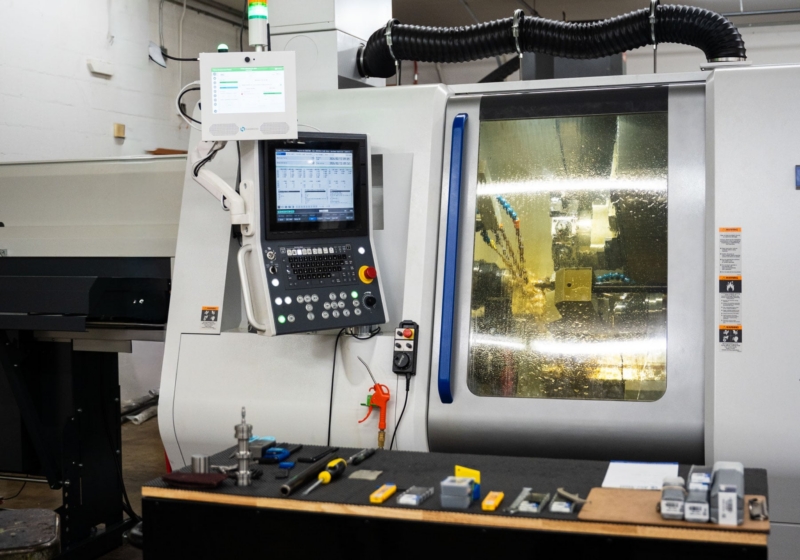
Operators should be able to start, pause, resume, and finish a job with a small number of clear actions. A shared kiosk, workstation screen, barcode scan, or other method can work. The best choice depends on the shop. What matters is that the method is available at the point of work and fits naturally into the shift.
Make common actions quick. Preserve useful context when an operator moves between operations. If a team must switch jobs frequently, design for those transitions instead of assuming each person stays on one order all shift.
A short list of reason codes can help teams record why a job paused, such as waiting for material, a quality hold, or equipment downtime. But if operators must choose from a long list on every transaction, the extra steps slow people down. Use a small set of plain-language choices for situations that genuinely need an explanation.
Capture each piece of context once. If an event is already visible in another system or can be captured from production data, use that information where appropriate. When a reason is required, make the options understandable and let people know why the answer matters.
Labor data can support job costing, capacity planning, quoting, and process improvement. It can also feel like surveillance if employees do not know what is collected or how managers will use it.
Explain the purpose before rollout. Be specific about what the data can and cannot tell you. A time record alone does not explain every difference between planned and actual labor. Material availability, machine conditions, training, rework, and changing priorities all affect the work. Use the information to investigate process conditions, with the context needed to understand what happened.
People are more likely to maintain accurate records when the system helps them resolve problems. If a job is at risk, teams should be able to see what is needed next. If a time entry is missing or a job is on hold, the system should make the issue clear and show how to correct it.
Close the loop by sharing what changed because of the data. If labor records show that a particular operation routinely waits on inspection, communicate the response. When employees see their input leading to better handoffs, clearer priorities, or fewer repeat questions, tracking becomes part of running the work rather than a task added after it.
Test the process on a representative set of jobs and shifts before expanding it. Watch operators use it in real conditions. Count the steps, note where they pause, and ask what information they had to search for. Then simplify.
Check data quality alongside usability. Look for missing job assignments, unusually long open times, duplicate entries, and frequent corrections. Those patterns may point to a training gap, but they may also reveal a confusing screen, a poor handoff, or a process that does not match how the shop actually works.
Tracking labor against jobs does not have to create friction. Define the decisions the data should support, keep entry close to the work, remove unnecessary questions, and make the process transparent. Involve operators in the design and make sure the information helps the shop respond to real production needs.
When job, machine, operator, and production context are connected, manufacturers can build a clearer picture of how work is progressing. Factory Orchestration brings those parts of production into a shared operating model, helping teams use accurate information to coordinate work and improve execution. The system earns its place on the floor when it helps people move the job forward.